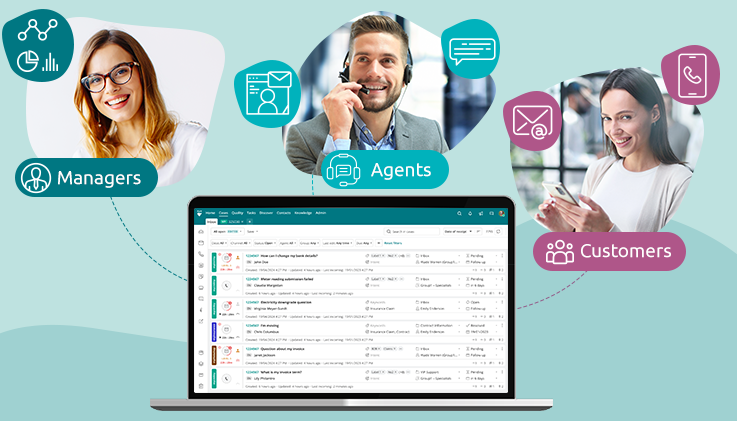
Imagine a typical day in a contact center that functions without AI or automation. Customer queries arrive through various channels, and it is up to the manager to manually assign each query to a team member.
Wondering what could go wrong? For starters, manual assignment eats into the manager’s valuable time and increases the chances of queries landing in the wrong hands. On top of that, the agent receiving the query may already be overloaded and unable to resolve it within the defined SLAs and quality standards. And the fallout does not stay inside the contact center. Slow, mismatched support hurts the brand far more than internal chaos ever could.
ThinkOwl gives contact center managers three ways to route omnichannel queries, helping reduce agent burnout and improve resolution speed. This blog explores each routing strategy in detail to help you choose the best option for your team and, ultimately, the customers they serve.
The essential role of automation in case routing
Before we get into the three case routing strategies, picture the same contact center again, but now with automation in place. Queries still arrive through channels such as social media, voice, email, and chat, but no one needs to manually sort and assign them. Artificial intelligence resolves common queries autonomously without human intervention. But when queries need to be resolved by human agents, AI evaluates predefined criteria set by managers, such as agent availability, department, workload, and expertise, and automatically routes each case to the right agent.
The results are visible across the contact center:
-
Cases are no longer assigned to the wrong agents, as AI checks predefined criteria before routing them.
-
Agent overload is avoided through optimal capacity planning.
-
Managers spend less time assigning cases and more time optimizing other processes through automation.
-
Agents receive cases aligned with their skills, shifts, and capacity.
-
Customers receive faster, more satisfactory resolutions from the right agents.
With an AI-powered Conversation Bot, managers can take automation a step further by enabling seamless communication with customers through their preferred channels. However, some cases still require human intervention. This is where case routing strategies come into play, ensuring that cases reach the right human agents when their involvement is needed.
ThinkOwl’s three omnichannel case routing strategies which fit real contact center scenarios
A positive sign of a high-performing business is how it values its customers’ time and its employees’ efforts. ThinkOwl’s three omnichannel case routing strategies support both by ensuring that customer queries are not missed and human agents can resolve them efficiently.
Round Robin: Each agent gets an equal share
A company has just launched a new product, and general queries have started to flood in. The manager’s main goal is to distribute the workload fairly because all three agents are equally trained. Round Robin makes it easy to achieve this.
Let us assume the company receives six customer queries. With Round Robin, the manager can assign each new case to the next eligible agent in line. So, if six queries arrive for three agents, the assignment order runs A, B, C, followed by A, B, C again. Every agent gets an equal share.
When to use it: Managers should choose this strategy when they want a straightforward way to distribute work across a team handling queries of similar complexity. This helps prevent individual agents from becoming overloaded and keeps the workflow consistent.
Load Balanced: Capacity decides who gets the next case
An eCommerce business is in the middle of a festive sale, and queries about product discounts, order status, restocks, and other matters are arriving faster than usual. Without a structured approach, some agents are already handling a pile of customer queries, while others have room to take on more. Managers spend time manually checking who is available, resulting in uneven workloads and slower response times. This is where Load Balancing simplifies things for everyone.
For example, if Agent A has reached the set limit for queries received through the email channel, the next email query goes to Agent B who has the capacity to handle it. Agent A can still receive queries through the voice channel if they have the capacity to take them on. This routing method helps prevent agent overload and reduces the chances of customers waiting in long queues.
When to use it: Managers should opt for the Load Balancing strategy when their team handles queries across multiple channels and workloads vary from one agent to another throughout the day.
Skill-Based: The right expertise for every query
An IT company is receiving queries about billing issues, service downtime, and troubleshooting errors, all at the same time. The company’s support team includes agents with different areas of expertise. Some specialize in finance and accounts, while others are technical specialists. Skill-based routing solves this by matching each query with an agent who has the right expertise.
Imagine two customers who have raised separate queries: one regarding an invoice issue and the other concerning a technical problem. Instead of assigning these cases to the next two agents in the queue, managers can route them to agents best equipped to resolve them. The invoice-related query goes to an agent who handles billing, while the other goes straight to a technical expert. Each query reaches the most qualified agent available.
When to use it: This routing strategy is best suited for support teams handling queries of varying complexity. Managers can improve first-contact resolution and reduce unnecessary transfers with Skill-based routing.
A bonus feature: ThinkOwl’s Guided Mode
Regardless of the volume or the channels the queries come in from, there are always high priority queries that need quick action. For such scenarios, Guided Mode in ThinkOwl allows agents to automate the process of case assignment workflow for the queries that need urgent attention. Agents get a clear view of the important cases that are assigned to them.
Agents can work in the Guided Mode and see:
-
The category of cases assigned to them,
-
Intelligent fields of auto-extract customer data,
-
Contextual knowledge, along with smart responses, and
-
A list of agents who have handled similar cases in the past
Once the agent completes working on a specific case, the next case automatically shows up. Agents can pause, play, go to the next case, or even stop Guided Mode as and when required.
Better routing. Better support.
Every contact center operates under different circumstances, with teams of varying sizes working to deliver consistent customer support. That is why ThinkOwl offers three omnichannel case routing options, helping agents perform at their best while ensuring customers get the help they need.
Whether a manager’s goal is fair distribution, capacity control, or expertise matching, ThinkOwl enables them to manage case routing in a structured way. Does your contact center sometimes struggle to keep up with queries across channels without overloading your team? Explore ThinkOwl to help your team route every case to the right agent. Schedule a free demo.